








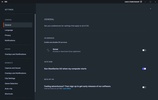








SteelSeries GG is a program that allows you to get the most out of all your SteelSeries devices. The software will recognize keyboards, mice, headsets, microphones, smart mouse pads, and provide access to a wide range of options to customize and enhance your PC gaming experience.
How to create a SteelSeries GG account
You don't technically need a SteelSeries user account to use the app. However, some of the more interesting features of SteelSeries GG are exclusive to registered users. Luckily, all you need to create your account is an email address and password. Once you have verified your account, you can synchronize the settings on different PCs and participate in giveaways and exclusive betas.
Very easy to use
The SteelSeries GG interface is highly intuitive. From the menu on the left you can access the program's various tabs. In the first one, Home, you will typically see a selection of some of the latest SteelSeries brand products, with direct links to the official store. In the Sonar tab, on the other hand, you can create custom audio configurations for each game. The Moments tab allows you to configure your PC to record video game clips with ease. Just press Alt+S while playing to start recording. You can set the quality of these videos and where you want to store them.
What is the SteelSeries GG Engine?
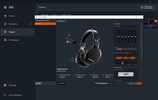
One of SteelSeries GG's most interesting tabs is Engine. Here you can individually manage each of the SteelSeries devices connected to your PC. Each has its own configuration options. For a wireless headset, for example, you can adjust the equalizer, create different audio presets, or adjust the battery saving options. With a mechanical keyboard, on the other hand, you can reconfigure keys or create custom keyboard shortcuts. From the Engine tab you can also create specific presets for apps and games.
Get exclusive prizes and enter giveaways
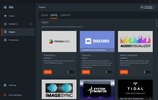
As a registered user of SteelSeries GG, you can enjoy all the benefits of the app's Giveaways tab. Here you will find free keys for a host of video games. Some of the games you can get keys for are Delta Force, World of Warships, The Finals, Black Desert, Escape from Tarkov and Star Wars Hunters. Getting a key is as simple as clicking the Get Key button and waiting to receive yours. It's very simple.
Editor's opinion
SteelSeries GG is a must-have PC app if you have a SteelSeries headset, keyboard or mouse, because the only way to access all the configuration options is through the app. Fortunately, this is an unobtrusive program, which also updates automatically. Though it is true that sometimes it can have problems when downloading. If you experience something like this, the best solution is to directly download the latest version of the software and reinstall it.
A must-have app for SteelSeries users
Download SteelSeries GG and discover useful and complete software which allows you to get the most out of all your SteelSeries devices. Its additional features, like the ability to pick up free video game keys or save video clips of your best gameplays, make having it installed genuinely worth it, even if you don't want to customize any of your devices.


 3 reviews
















Comments
You are great, thank you for this VST plugin.
Excellent